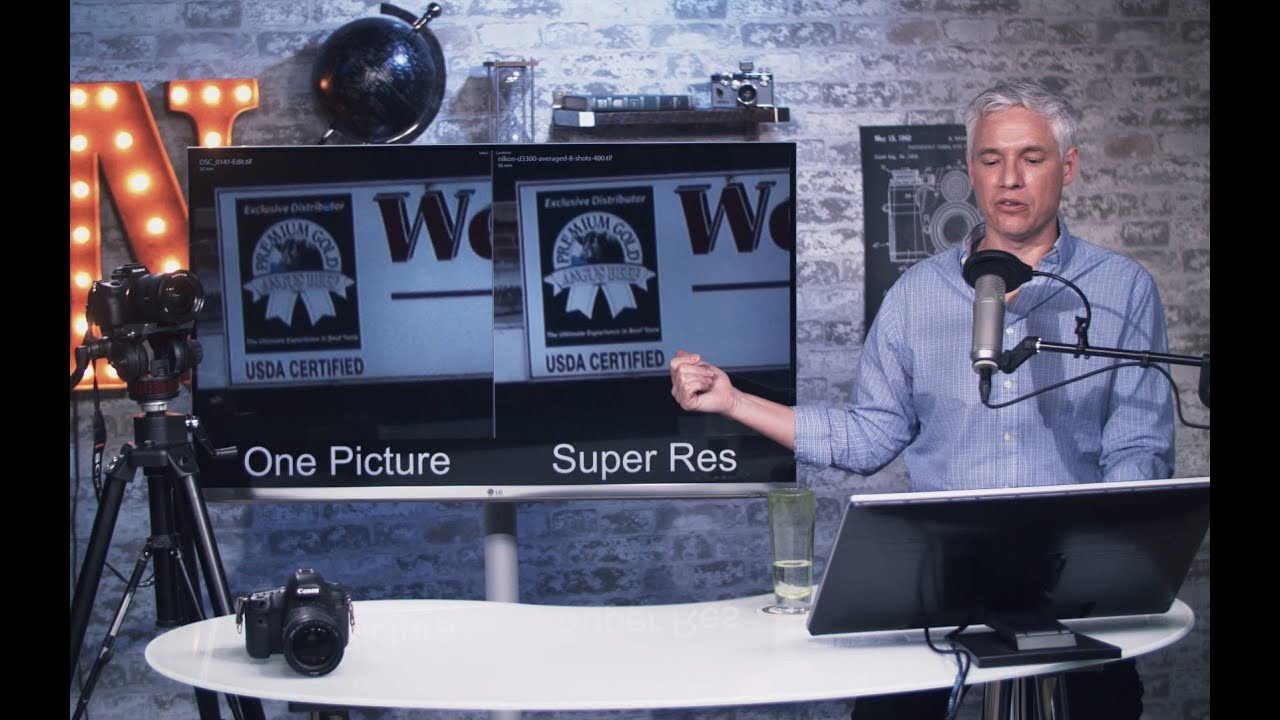
More Megapixels Without Buying a New Camera: A Photoshop Super Resolution Walkthrough

More Megapixels Without Buying a New Camera: A Photoshop Super Resolution Walkthrough

There’s a specific kind of frustration I know well: you’re looking at a shot from a campaign shoot, the composition is perfect, the light cooperated for once, and then you zoom in and see the noise crawling across your subject’s face like static. The file isn’t big enough to print at the size the client wants, and you didn’t have time to bracket or set up a tripod. In commercial work, that moment costs money.

Noise Reduction Presets That Actually Preserve Detail

Noise Reduction Presets That Actually Preserve Detail

The default approach to noise reduction — crank the slider until the noise disappears — destroys detail along with the noise. Every noise reduction algorithm is fundamentally a trade-off between smoothness and sharpness. The goal is finding the sweet spot for each ISO range, then saving those settings as presets for consistent results. Why Generic Presets Fail Camera noise varies by sensor size, generation, and ISO setting. A noise reduction preset built for a Sony A7 IV at ISO 6400 will over-smooth a Fuji X-T5 at the same ISO, because the Fuji’s smaller sensor produces different noise characteristics.