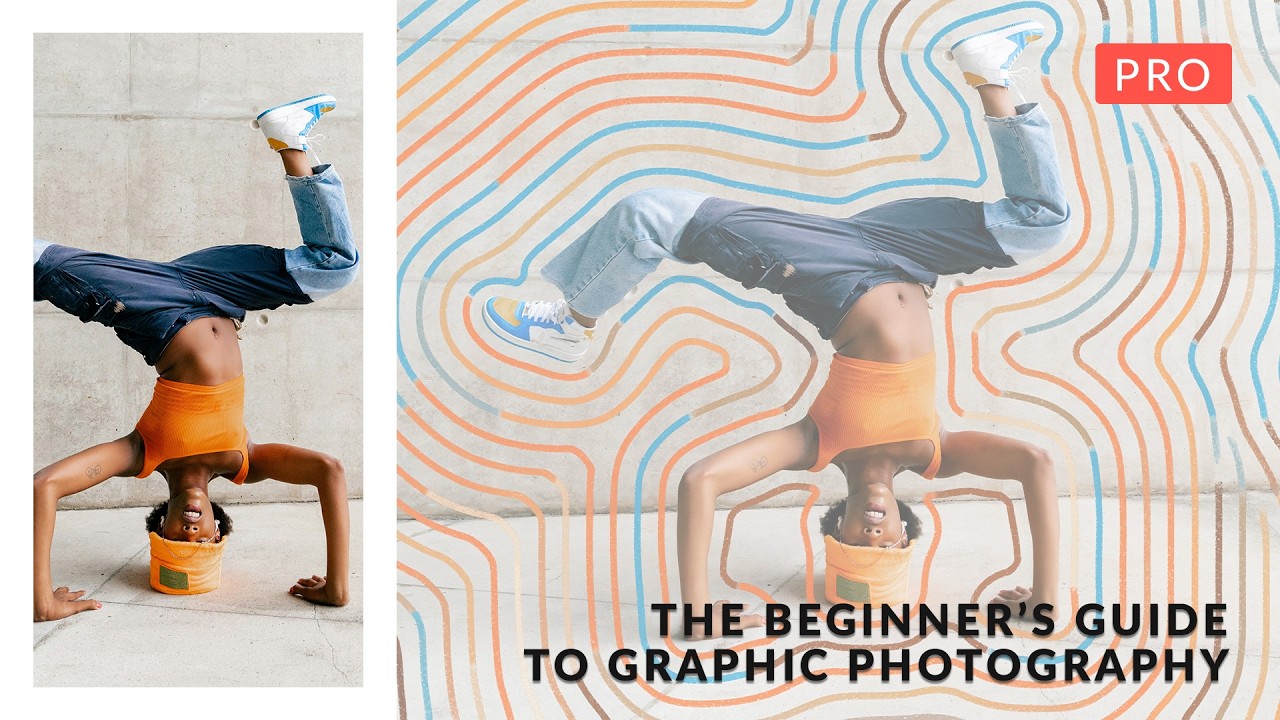
There is a category of client work I’ve been getting more frequently over the past two years. Ad agencies want something that sits between a clean product photo and a designed illustration. Not a retouched photograph. Not flat graphic design. Something in between, where the photo feels like it belongs inside a graphic world rather than just being dropped onto a background.
I’ve solved this project-by-project, which means I’ve also been inconsistent about it. Different masking approaches each time. Different methods for integrating shadows and textures. No repeatable system. That bothered me. I keep a pretty tight ship when it comes to workflow, so having a loose, case-by-case approach to an entire category of work felt like a gap worth closing.
That’s what pushed me to sit down with this Aaron Nace (PHLEARN) tutorial on graphic photography. Six projects, each one blending photography with illustration in a different way, and the whole thing structured as a beginner-to-intermediate course. Even coming in with 15 years of studio experience, there’s value in watching someone else’s system from the beginning. You pick up the logic behind decisions you’ve been making on instinct.
What “Graphic Photography” Actually Means as a Workflow Category
The term sounds vague, but Nace defines it practically. Graphic photography is any work where a photograph is integrated into an illustrative or designed environment, meaning the photo doesn’t just sit on a background, it interacts with it. Shadows fall on graphic elements. Textures from the design layer affect the photo. The lighting in the photo has to match the implied lighting in the graphic.
That interaction is what makes it hard, and what makes it distinct from basic compositing. In standard compositing, you’re blending multiple photos. Here, you’re bridging two completely different visual languages, photographic realism and graphic flatness, and the seams have to be invisible.
Masking as the Foundation, Not an Afterthought
The tutorial runs through advanced masking early, and Nace treats it as the non-negotiable foundation for everything that follows. He works through Select and Mask for complex edges, particularly hair and fine detail, and shows where AI-assisted selection handles the bulk of the work and where you still need to come in manually with a brush.
The specific point that landed for me: he treats the mask refinement step as a separate phase, not something you rush through to get to the “real” compositing work. He adjusts the edge detection radius carefully based on the background contrast behind the subject, not just the subject itself. If your background is busy, you need a tighter radius to avoid pulling in noise. If it’s clean, you can afford to be more aggressive with Smart Radius.
He also builds in a second pass on the mask after the subject is placed into the graphic environment. Because the new background changes how edge fringing reads visually, what looked clean on white might show a halo on a dark graphic element. That second-pass habit is something I’m adding to my standard mask checklist.
3D Compositing and Shadow Logic Without 3D Software
One of the six projects involves 3D-style compositing, placing a photographed subject into a scene that implies depth and dimensionality. Nace does this entirely inside Photoshop, no 3D software required, using a combination of perspective-corrected placement, manually painted shadows, and strategic blur to simulate depth of field.
The shadow work is where this project gets specific. He creates shadows as separate layers set to Multiply blending mode, paints them in the direction implied by the graphic’s light source, and then uses Gaussian blur to soften the shadow edge. The key variable is blur amount: a shadow close to the object gets less blur, a cast shadow further away gets progressively more. He treats blur as a proxy for distance, which is the correct way to think about it physically.
He also dims the subject slightly using a Curves adjustment layer to simulate the way objects integrate into a scene with ambient lighting. A subject photographed under bright studio lights will look pasted-in when dropped into a graphic with softer implied lighting. Pulling the highlights down by a small amount, roughly 10 to 15 points on the Curves output, is often enough to sell the integration.
Where Automated Actions Fit Into This Style of Work
Nace incorporates automated Photoshop actions into several of the six projects, particularly for texture application and color grading steps that repeat across variations. This is where my ears perked up in a specific way. I’ve built a lot of actions over the years for product photography, but I’ve been slower to build them for compositing work because each project feels unique.
What this tutorial clarified is that uniqueness doesn’t mean you can’t automate the repeatable parts. The texture overlay process, for example, follows identical steps regardless of which project you’re working on: place texture, set blending mode, adjust opacity, clip to subject layer if needed. That’s four steps that can be one button press. Same with the shadow layer setup.
The honest caveat I’d add from my own experience: actions built for compositing work need more conditional logic than actions built for batch processing. A texture opacity that works at 30% for a vintage-style project will look wrong at 30% for a clean modern design. I’d recommend building the action to stop at opacity adjustment so you’re making that call manually, rather than baking in a number that only works sometimes.
The Vintage-to-Modern Style Range Is the Real Teaching Tool
The most useful structural decision Nace made in this course is running the style range from old-school vintage to clean contemporary across the six projects. That range forces you to understand which techniques are universal and which are style-specific.
Masking quality matters the same way in every project. Shadow logic is consistent regardless of era. But texture density, color grading approach, and the degree of graphic abstraction shift dramatically between a worn vintage poster look and a crisp modern ad aesthetic. Seeing both ends of that spectrum in the same course makes the underlying principles clearer than any single-style tutorial could.
The single most transferable thing I took from this tutorial is treating graphic photography as a discipline with its own set of repeatable technical rules, not a series of one-off creative decisions. Once you see the logic, you can systematize it.
Watch the full tutorial with all six project walkthroughs at PHLEARN to see each technique demonstrated visually. The visual component is especially important for the shadow painting and edge mask refinement steps, where the video shows adjustments that are difficult to fully communicate in text.
Comments
Leave a Comment