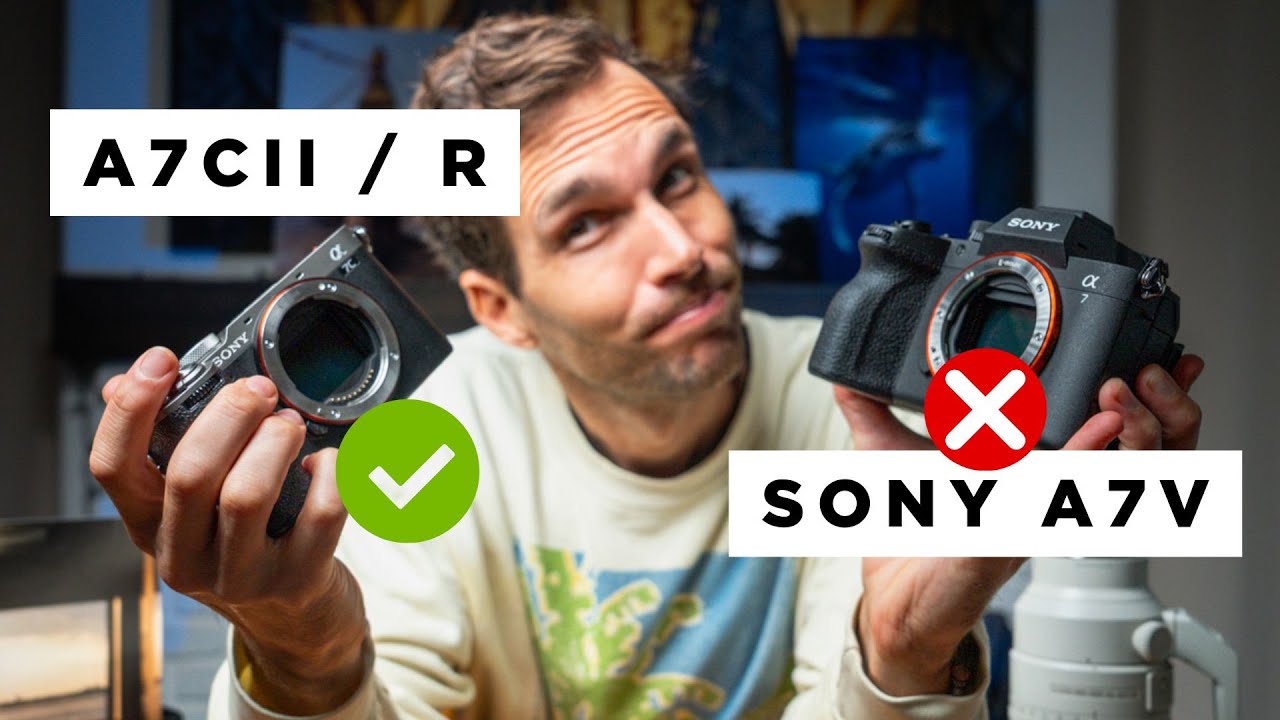
I’ve spent fifteen years in commercial studios where the wrong tool choice costs real money. Not hypothetical money. Actual rebooking fees, overtime, and the kind of conversation with an art director you never want to have twice. So when I’m evaluating gear, I’m not reading spec sheets for fun. I’m asking one question: does this fit the way I actually work? That’s why I kept coming back to this comparison from travel and adventure photographer Pierre T. Lambert, who has logged serious field time with all three of these Sony bodies. Watch the full tutorial on YouTube
In this Pierre T. Lambert tutorial, he walks through the Sony A7V, A7CII, and A7CR side by side, not as a spec recitation but as a practical decision framework based on what kind of photographer you are. That framing matters. I’ve watched too many gear reviews that tell you everything about a sensor and nothing about whether the camera will feel right after six hours on a shoot. Lambert cuts through that.
What follows is my breakdown of his core points, organized so you can work through the decision yourself and land on the right body without spending money you’ll regret.
Step 1: Understand What the Ergonomics Actually Mean for Your Shooting
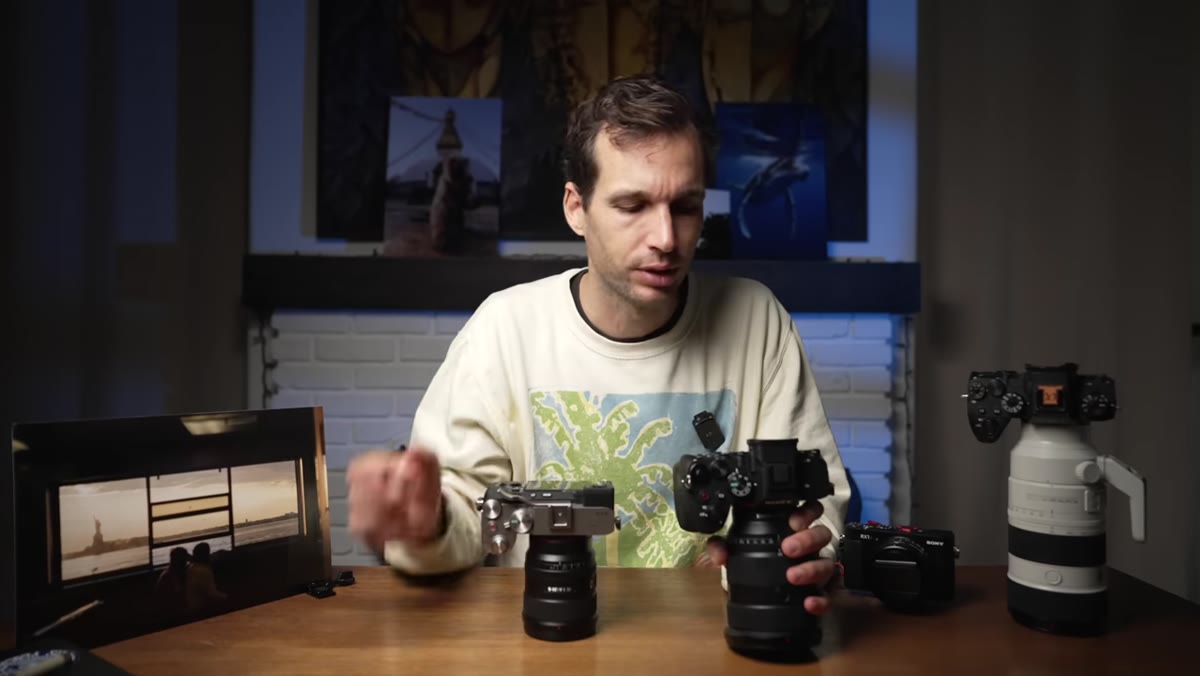 Larger A7V body shown next to compact A7CII
The A7V has a full, deep grip. Lambert is direct about this: you can hold it one-handed comfortably, which matters more than people admit when you’re hiking with a long lens or shooting from awkward angles. For photographers with larger hands, or anyone used to traditional DSLR handling, this grip will feel immediately natural. The A7CII and A7CR share a smaller, more compact body. Lambert notes he can’t quite hang on with one finger the way he can with the A7V, and he flags that as something to genuinely test before committing.
Larger A7V body shown next to compact A7CII
The A7V has a full, deep grip. Lambert is direct about this: you can hold it one-handed comfortably, which matters more than people admit when you’re hiking with a long lens or shooting from awkward angles. For photographers with larger hands, or anyone used to traditional DSLR handling, this grip will feel immediately natural. The A7CII and A7CR share a smaller, more compact body. Lambert notes he can’t quite hang on with one finger the way he can with the A7V, and he flags that as something to genuinely test before committing.
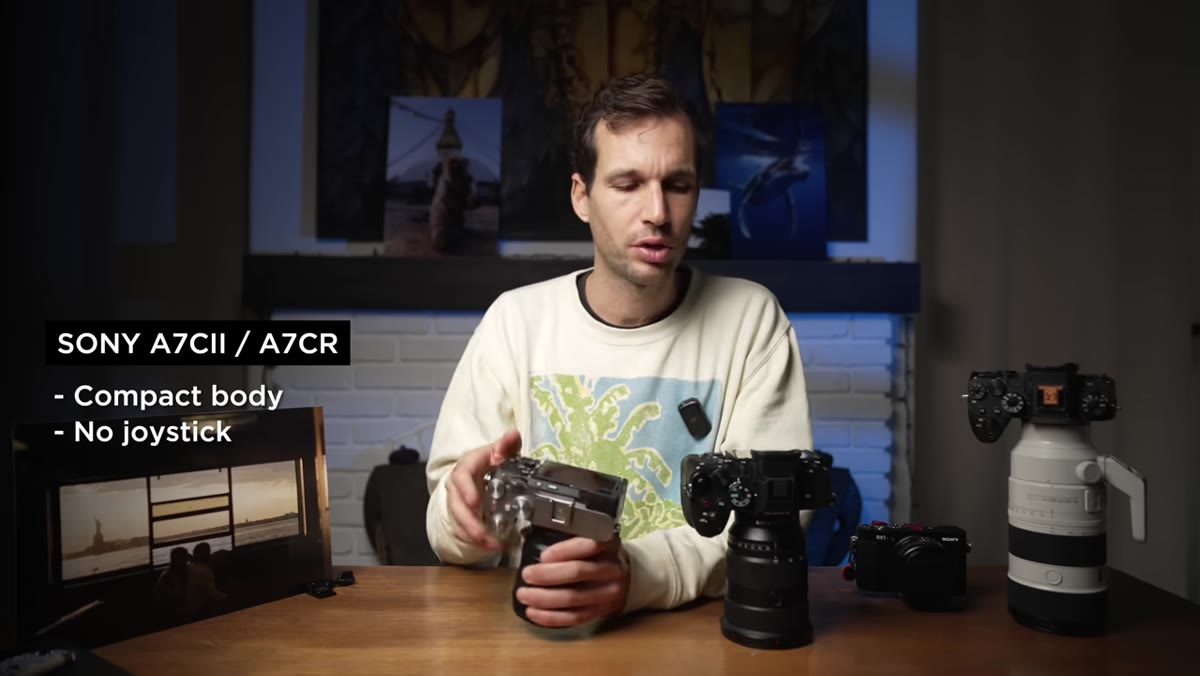
The compact body is not a compromise across the board though. For street and travel work, that smaller footprint is a genuine strategic advantage. Lambert mentions that discretion changes how subjects behave around you, and he’s right. I’ve seen that dynamic play out in editorial work. A camera that reads as less intimidating often gets you better candids.
Step 2: Factor in the Joystick and Button Layout Before You Dismiss It
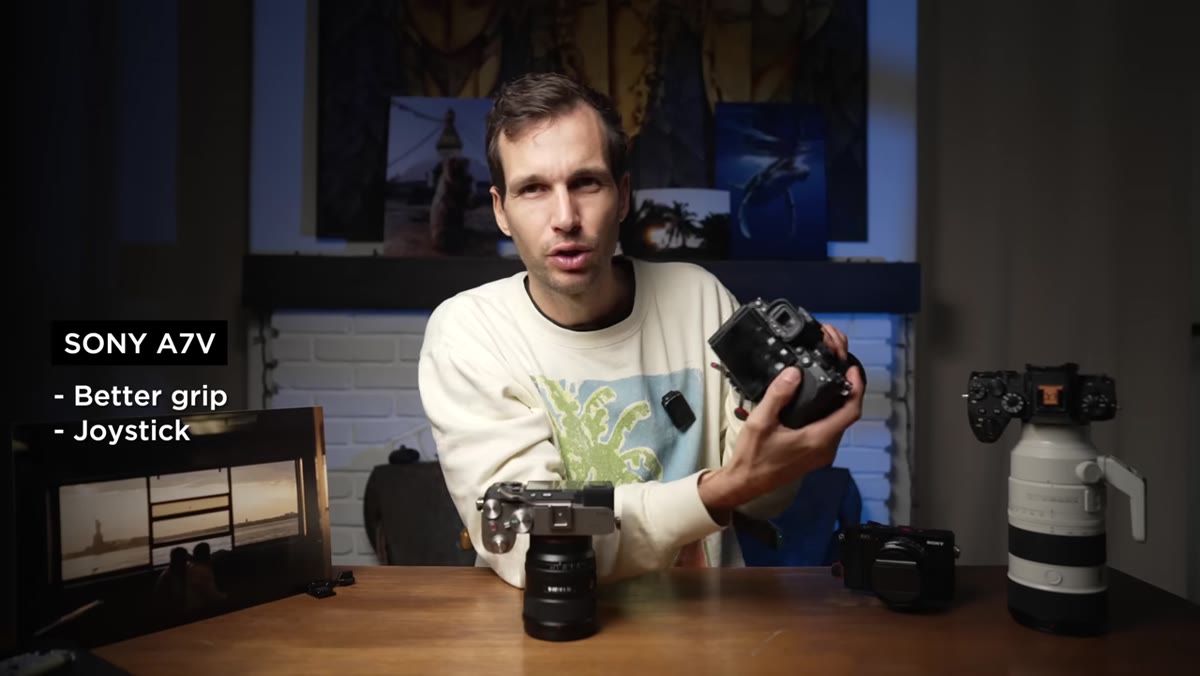 Back of A7V showing joystick control for focus point
The A7V has a dedicated joystick for moving your focus point. The A7CII and A7CR do not. Lambert calls this out specifically, and I want to underline it because it sounds minor until you’re trying to reposition your AF point quickly on a moving subject. In my studio work, I’m usually stationary and precise repositioning is a non-issue. But if you’re shooting wildlife, street, or any scenario with fast-moving subjects, the joystick is not a luxury. It’s the difference between catching a shot and chasing it.
Back of A7V showing joystick control for focus point
The A7V has a dedicated joystick for moving your focus point. The A7CII and A7CR do not. Lambert calls this out specifically, and I want to underline it because it sounds minor until you’re trying to reposition your AF point quickly on a moving subject. In my studio work, I’m usually stationary and precise repositioning is a non-issue. But if you’re shooting wildlife, street, or any scenario with fast-moving subjects, the joystick is not a luxury. It’s the difference between catching a shot and chasing it.
If you’re coming from a camera that had a joystick and you’re considering the A7CII to save money or reduce size, go hands-on with one first. Habit rewiring is real, and it takes longer than you expect.
Step 3: Evaluate the Viewfinder Size Against How You Actually Compose
 Side-by-side viewfinder size comparison between A7V and A7CII
Lambert is plain about this: the viewfinder on the A7CII is noticeably smaller than the one on the A7V. For photographers who rely heavily on the EVF to compose and evaluate exposure in bright outdoor conditions, this is a meaningful difference. The A7V’s larger viewfinder gives you more visual real estate to make precise decisions, especially useful if you’re wearing glasses or working in harsh light.
Side-by-side viewfinder size comparison between A7V and A7CII
Lambert is plain about this: the viewfinder on the A7CII is noticeably smaller than the one on the A7V. For photographers who rely heavily on the EVF to compose and evaluate exposure in bright outdoor conditions, this is a meaningful difference. The A7V’s larger viewfinder gives you more visual real estate to make precise decisions, especially useful if you’re wearing glasses or working in harsh light.
If you primarily shoot using the rear LCD, this gap shrinks significantly in importance. Which brings up Lambert’s point about the A7V’s fully articulating screen. It flips and tilts in every direction, with a high-resolution display that makes reviewing shots and shooting from low or overhead angles considerably easier. The A7CII has articulation too, but if screen quality and flexibility are part of your workflow, the A7V has the edge.
Step 4: Weigh the Compact Size as a Feature, Not a Limitation
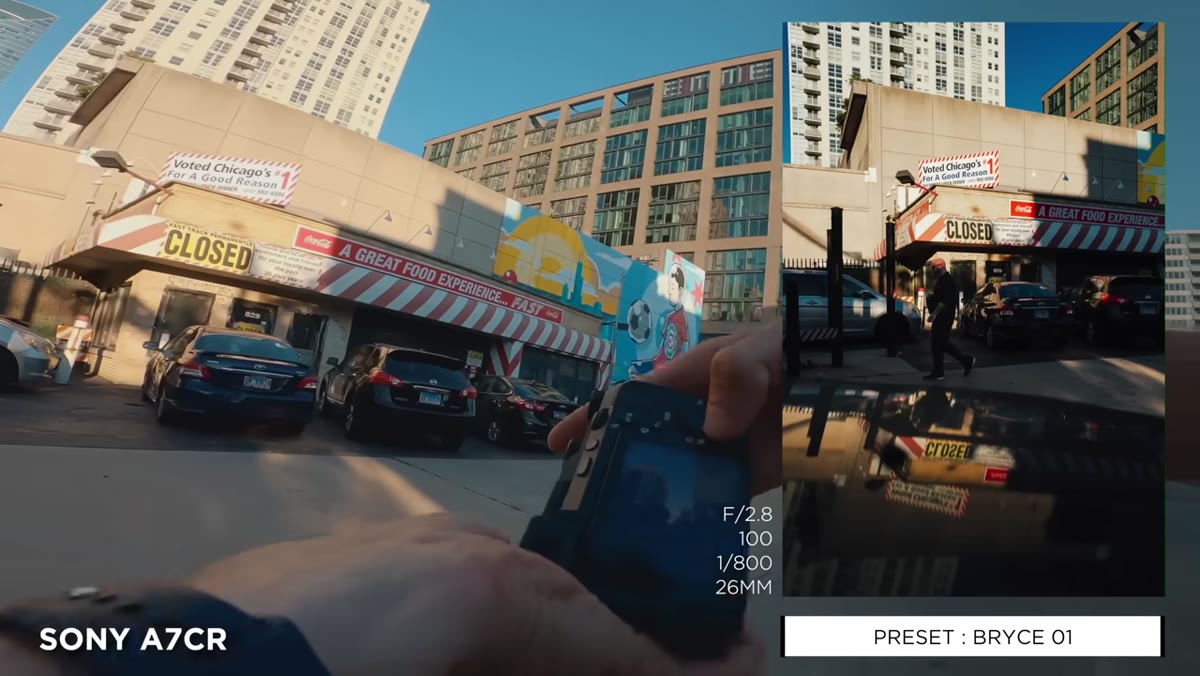 A7CII shown on city street, demonstrating discreet compact profile
Lambert frames the A7CII and A7CR’s smaller size as a genuine advantage for specific use cases, and this framing is worth sitting with. If your work takes you through airports, crowded markets, or any environment where a large camera draws unwanted attention or just creates logistical friction, the compact body solves a real problem. Lambert also notes the A7CII comes in silver or black, giving you an additional tool for blending in. The A7V is black only.
A7CII shown on city street, demonstrating discreet compact profile
Lambert frames the A7CII and A7CR’s smaller size as a genuine advantage for specific use cases, and this framing is worth sitting with. If your work takes you through airports, crowded markets, or any environment where a large camera draws unwanted attention or just creates logistical friction, the compact body solves a real problem. Lambert also notes the A7CII comes in silver or black, giving you an additional tool for blending in. The A7V is black only.
He mentions a thumb grip accessory that improves the hold on the compact body. That kind of small ergonomic adjustment can meaningfully change how sustainable a camera feels over a long day of shooting. Worth budgeting for if you go the compact route.
Step 5: Don’t Let Battery Life Be the Deciding Factor
 Battery comparison discussion between A7V and A7CII efficiency
The A7V has improved power efficiency, which translates to better battery life per charge. Lambert is honest here: he has never felt frustrated by battery life on the A7CII or A7CR. Both cameras use the same battery. The A7V’s improvement is real but, in his experience, not a dealbreaker in either direction.
Battery comparison discussion between A7V and A7CII efficiency
The A7V has improved power efficiency, which translates to better battery life per charge. Lambert is honest here: he has never felt frustrated by battery life on the A7CII or A7CR. Both cameras use the same battery. The A7V’s improvement is real but, in his experience, not a dealbreaker in either direction.
I’d add this caveat from my own experience: carry two batteries regardless of which body you choose. I keep three on any full-day commercial shoot. Battery anxiety is a workflow problem you can solve with a forty-dollar spare, and it should never be a major factor in a thousand-dollar camera decision.
A Note From My Own Workflow
Lambert’s comparison reminded me of a mistake I made years ago: I optimized for specs and ignored ergonomics, and I paid for it in fatigue and frustration across a three-week project. The camera that looks best on paper is not always the one that disappears into your hands after hour five.
My practical advice for anyone working through this decision: build a spreadsheet. Seriously. List the five to ten scenarios where you shoot most often. For each one, mark which body serves you better based on Lambert’s breakdown. Where the A7V wins on most of your use cases, the choice is clear. Where the compact body checks more of your boxes, trust that. The specs between these cameras are close enough that ergonomic fit and practical portability should be driving the final call, not megapixel counts.
The single most important thing Pierre T. Lambert surfaces in this comparison is that camera selection is a workflow decision, not a prestige decision. The right camera is the one that gets out of your way and lets you shoot. Everything else is noise.
Watch the full tutorial on YouTube and work through Lambert’s full breakdown, especially if you’re still on the fence between the A7CII and A7CR, which he differentiates further in the later part of the video.
Comments (1)
This saved me so much time on my last edit. Wish I'd found this sooner.
Leave a Comment